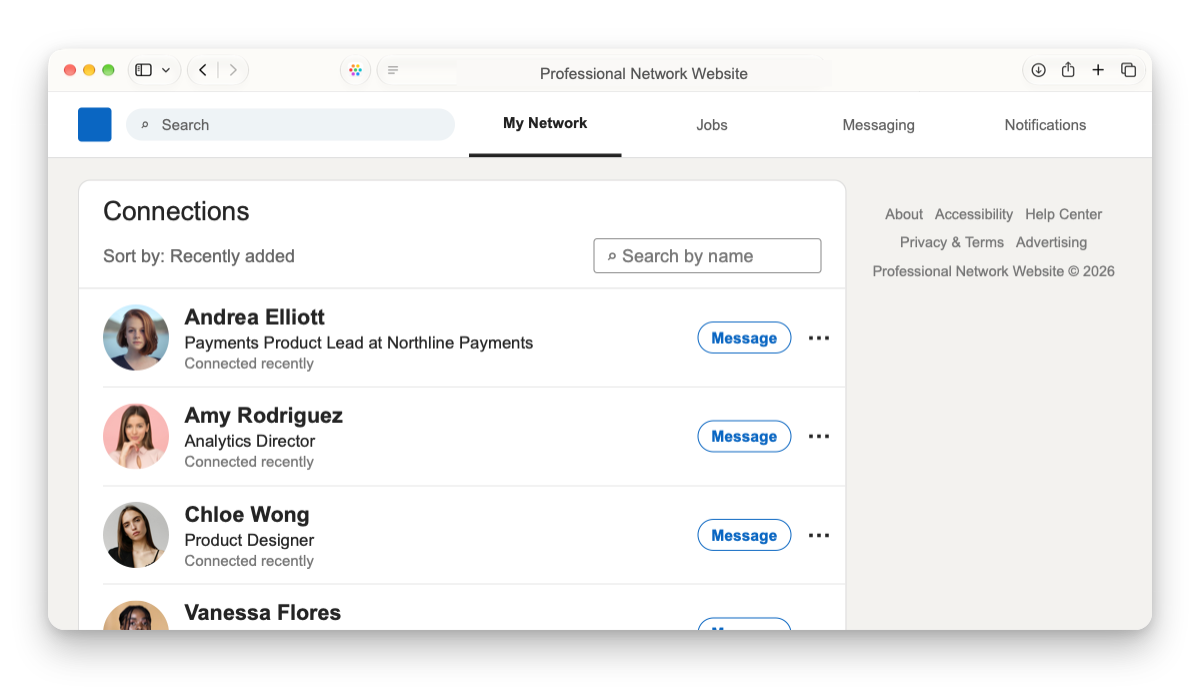

One-click import
Import your professional network on Mac in just a couple of minutes.

Abejas

For Mac and iPhone. One-time purchase. No subscription.

Make sense of your network.
Import your professional network on Mac in just a couple of minutes.

Put a face to each name and figure out who’s who.
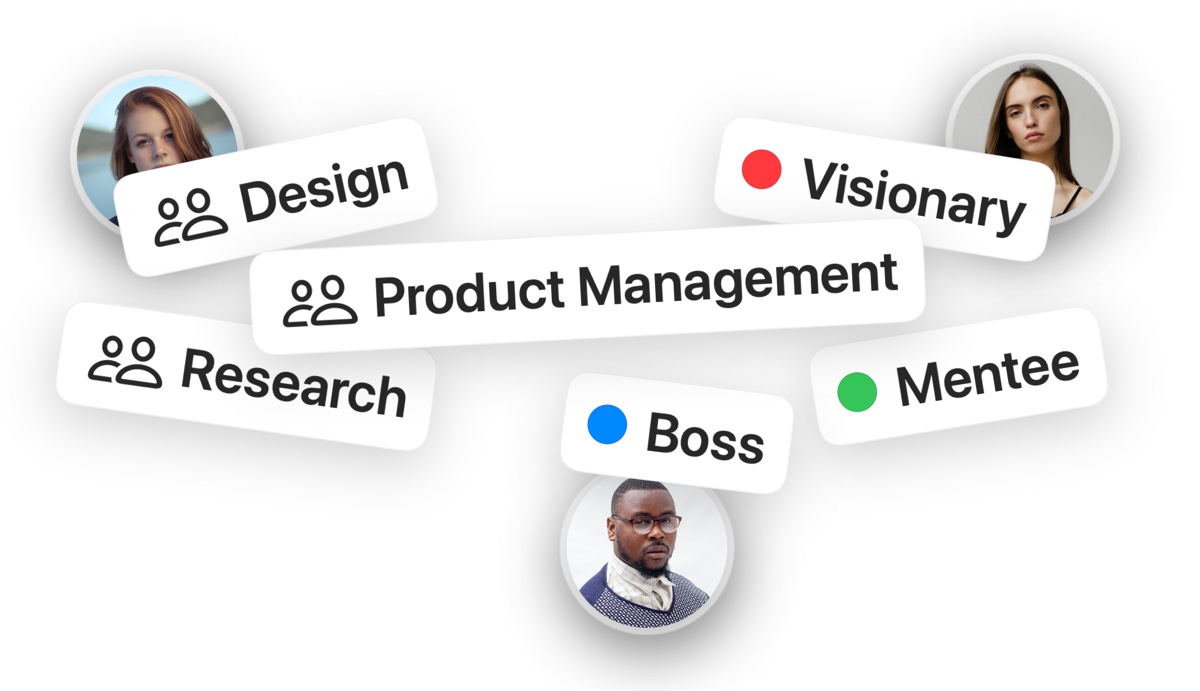
Or let Auto Group take care of it all using private AI that runs on your Mac.
There’s a story behind every name.
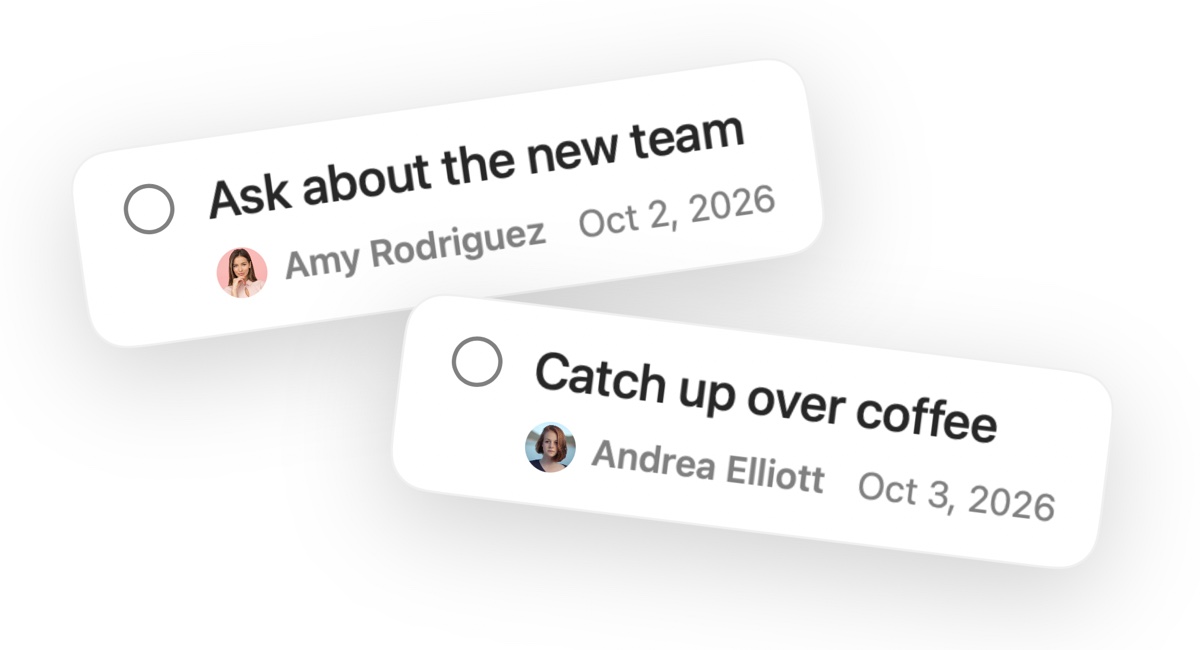
Pick a date to catch up, send a thank-you, or check in after an introduction.
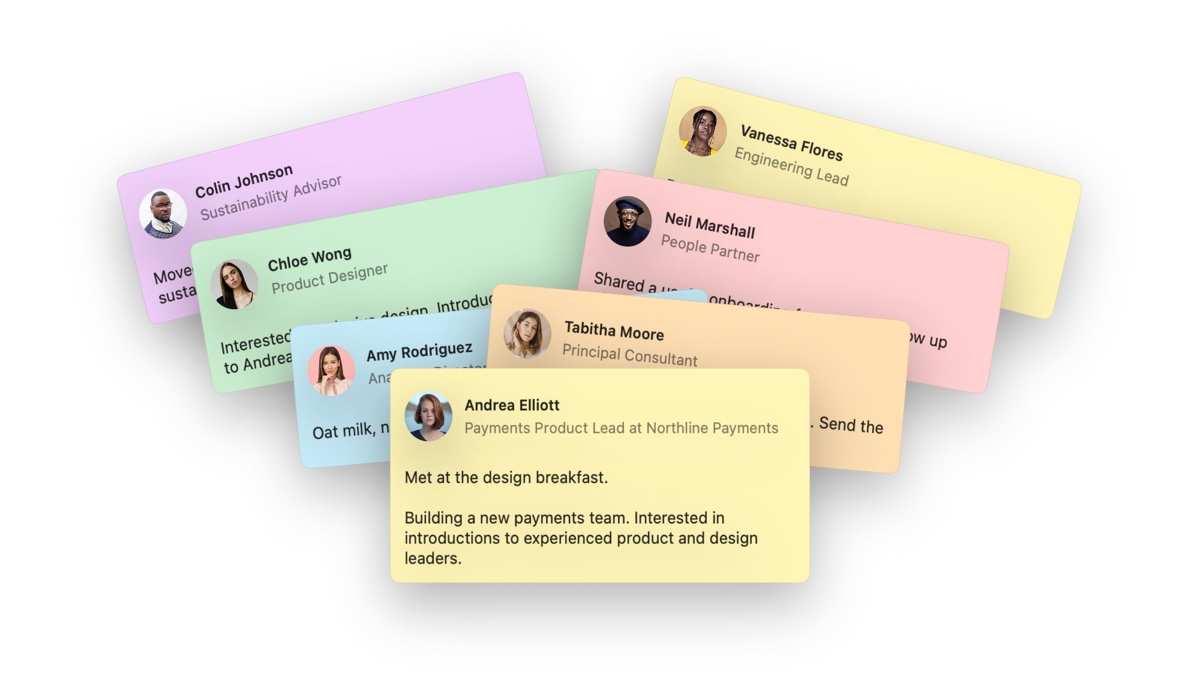
Keep private notes about how you met someone or your last conversation.
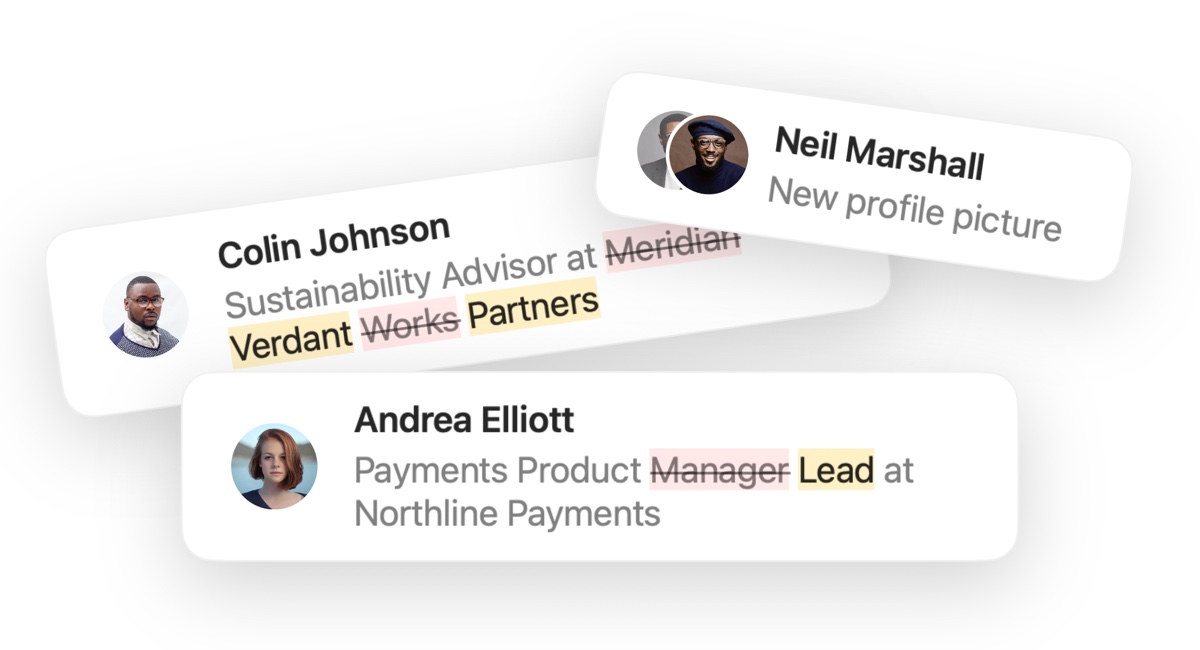
Spot who’s updated their professional headline or profile photo. Good time to reconnect.
Take Abejas with you. Mac to iPhone and back.
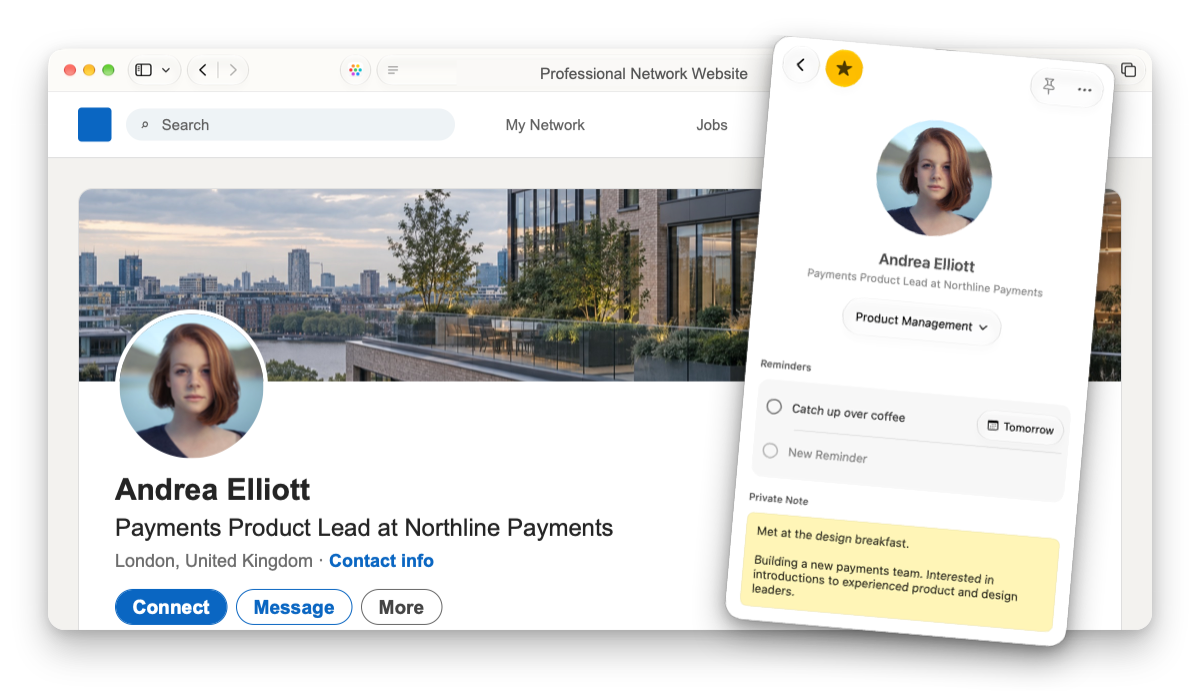
Browsing someone’s profile? Their Abejas profile pops up and stays in sync.
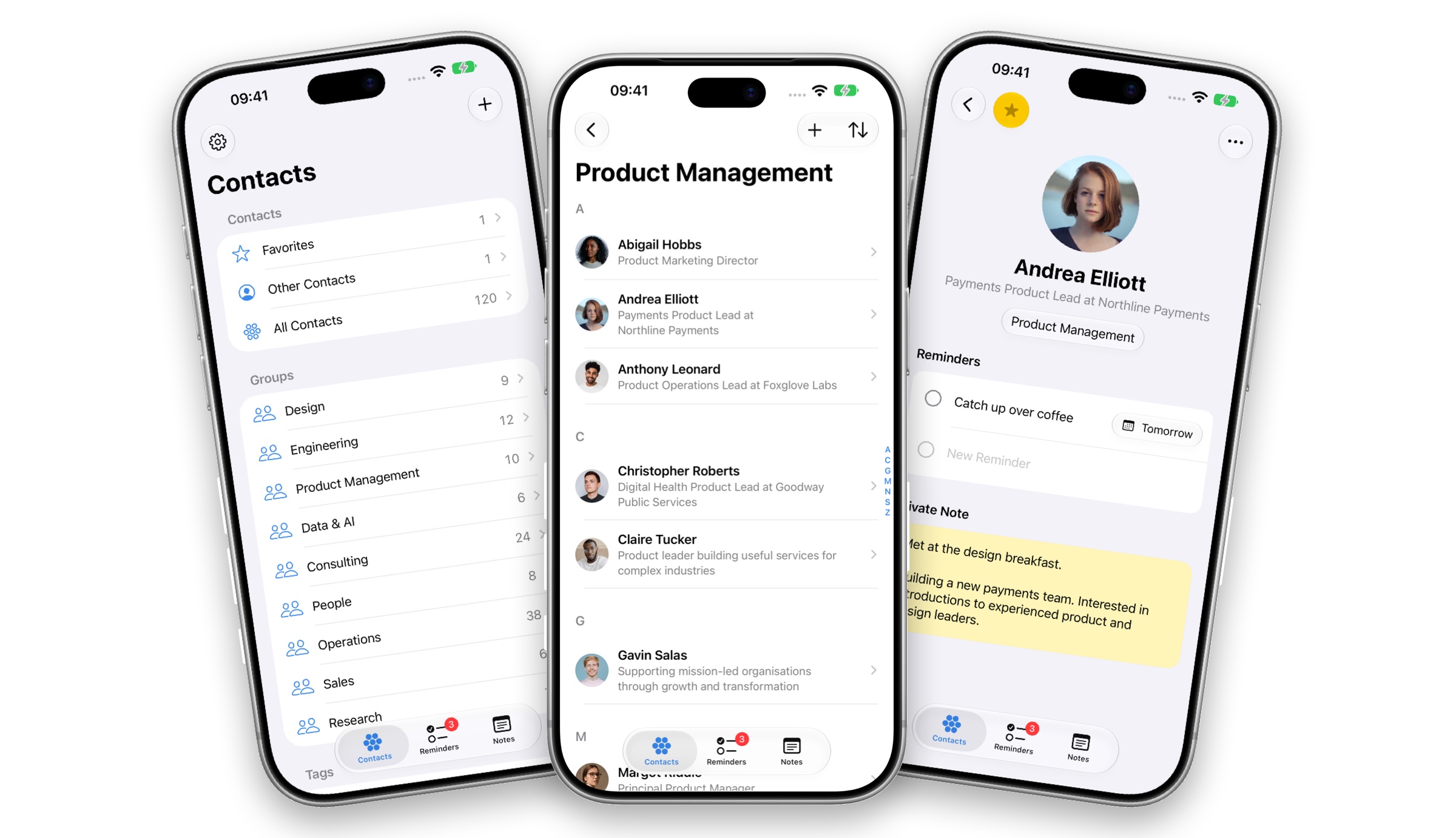
Check your reminders before a meeting. Add some notes on the way home.

Abejas syncs between Mac and iPhone through iCloud. No extra accounts or subscriptions.
Beautiful, also under the hood.
Abejas is compatible with the largest and best-known professional network there is.
Abejas helps you organize and remember the people you already know. Sort contacts into groups, keep private notes, and set reminders to follow up.
Unlike a traditional contacts app, it focuses on the context of your relationships rather than phone numbers and addresses. Unlike a CRM, it’s not designed around a sales pipeline.
You sign in to your professional network in a dedicated browser window inside Abejas on Mac. Abejas uses that signed-in session to read your connections and their available profile details and photos. This session stays on that Mac.
Abejas is strictly read-only. It doesn’t edit your profile, send messages, add connections, or remove them.
Yes. On Mac, you can add someone outside your connections from their profile using the Safari integration.
The extension only reads your professional network website, not every website. It can’t read your browsing history either.
Yes. You can add contacts manually without importing your professional network, then keep notes, organize contacts, and set reminders on your iPhone.
You’ll need a Mac to import and refresh your professional network connections, use the Safari integration, or run Auto Group.
Abejas requires an Apple silicon Mac running macOS 27 or later, or an iPhone running iOS 27 or later.
Yes. Abejas is a universal purchase. One purchase includes both apps when you use the same Apple Account for the App Store. There’s no subscription, and there are no upsells.
Your Abejas library is stored on your devices and synced through your private iCloud account. You need to be signed in to iCloud. A paid plan isn’t required, but you’ll need enough available storage for your library.
Abejas doesn’t collect your library on its own servers or include analytics or usage tracking. Adding contacts, notes, or reminders doesn’t notify anyone.
Abejas means “worker bees” in Spanish. Do you get it?
Send me an email to support@abejas.app and we'll get it sorted.
Abejas
One purchase. Mac and iPhone. No subscription.